

 Direct purchase from the factory

![[US Direct] Bomaker Polaris 6500 Lumens 4K Resolution Image HDR10+ MEMC WiFi Built-in HiFi Speaker Portable Smart Home Theater Ultra Short Throw Triple Laser Projector US Plug](https://static.roymall.com/d/file/mall/titlepic/237/uv2payqgyhd.jpg?x-oss-process=image/resize,w_237/quality,Q_80/format,webp)
1.You can contact the customer service. for any question regarding the product.
2.Ask the question in English to get answer faster.
3.Keep your question short and to the point.
Questions:0/2000


 Multi Rotor PartsFPV SystemRadios & ReceiverBattery & ChargerTools & Bags & StorageConnector & Cable & WireRC ServosElectronic Learning ToysPlane & Parachute ToysSolar Powered ToysPottery Clay & ToolsPaper Art & DrawingBlocks & Track ToysModel BuildingDiecasts & Model ToysProtective GearsMotorcycle LightsCharger & Socket AdapterMotorcycle Engines & ComponentMotorcycle HelmetMotorcycle DIY KitsMotorcycle AccessoriesMotorcycle Alarm & SecurityCar Stickers & DecalsCar CoversWindow FoilsCar Protective FilmCar Protective Film Body ArmorLicense Plate AccessoriesDIY Electronic KitsElectronic Accessories & SuppliesModule ComponentsBoard & ShieldExpansion Board & ShieldSmart ModuleSensor & Detector ModulePower Supply ModuleRaspberry Pi & Orange PiSecurity Alarm SystemSmart Remote ControlWeather Station & ThermometerAccess Control & IntercomsHome Automatic KitsAutomation ModulesClocksHome Decor StickerDecorative PaintingDecorative CraftsStorage BagsStorage BoxesItems Storage & OrganizationSeedsWatering & IrrigationGarden LightsPest Control ProductsBathroom ApplianceShowerhead & AccessoriesBathroom Storage & OrganisationBathroom SafetyDoor Hardware & LocksIndustrial HardwareDecorative HardwarePackaging & ShippingStorage & OrganizationFurniture HardwareKitchen Tools & GadgetsDrinkware & Tea SetsBakeware & AccessoriesHome Brewing & Wine MakingKitchen Knife & CutleryBarbecue & Picnic SuppliesDinnerware & FlatwareXiaomi Kitchen Appliance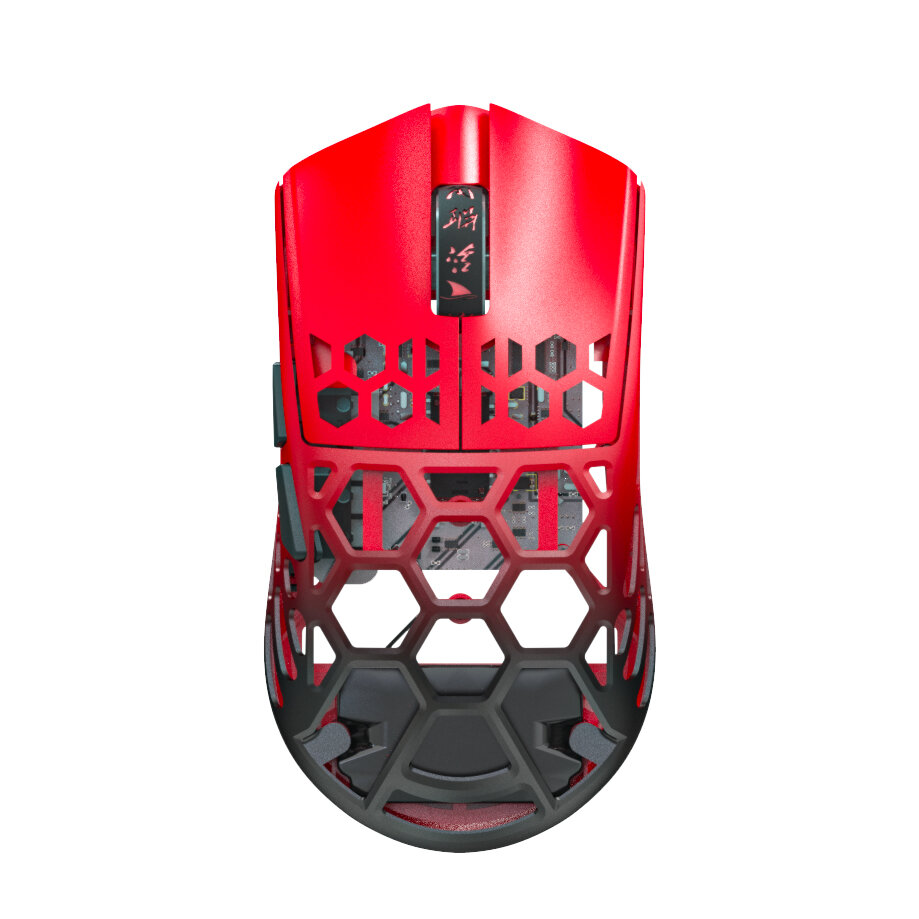
دفع آمن مضمون

 هدية مجانية
 سياسة الشحن
 سياسة الإرجاع
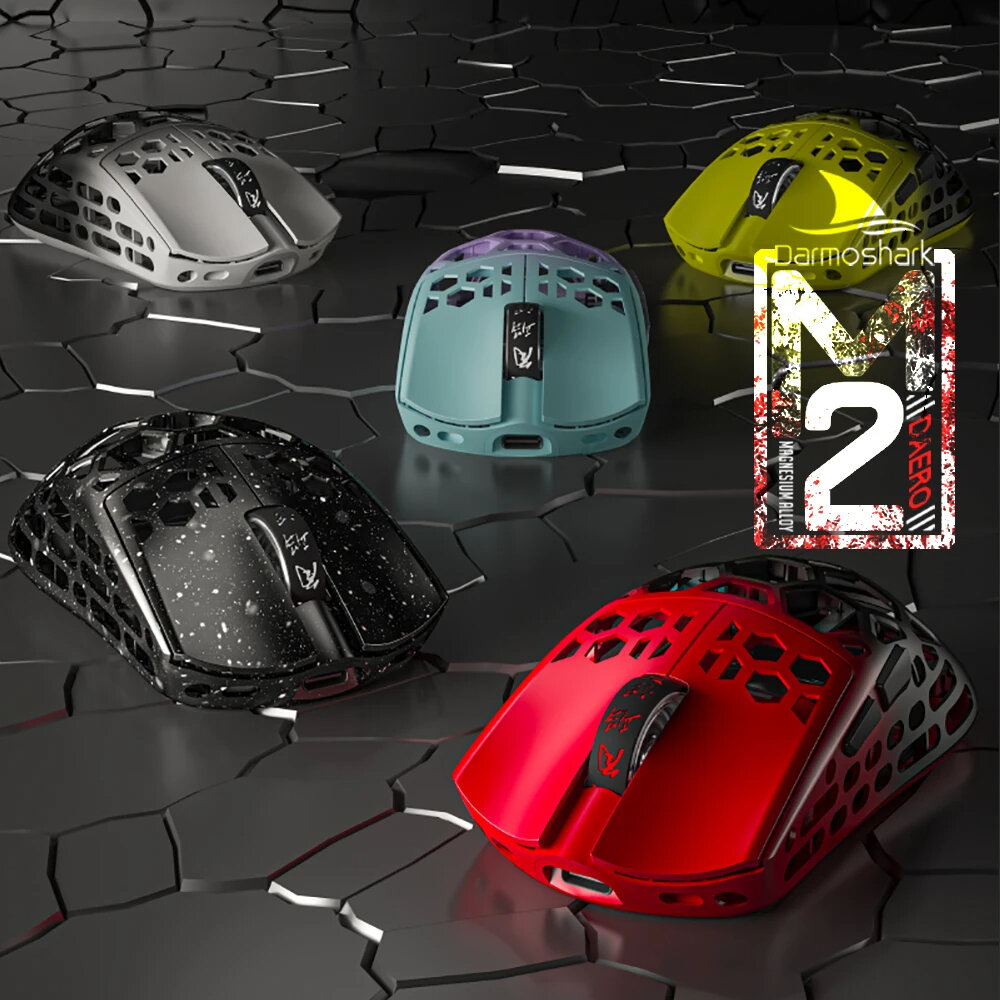
| Brand | Darmoshark |
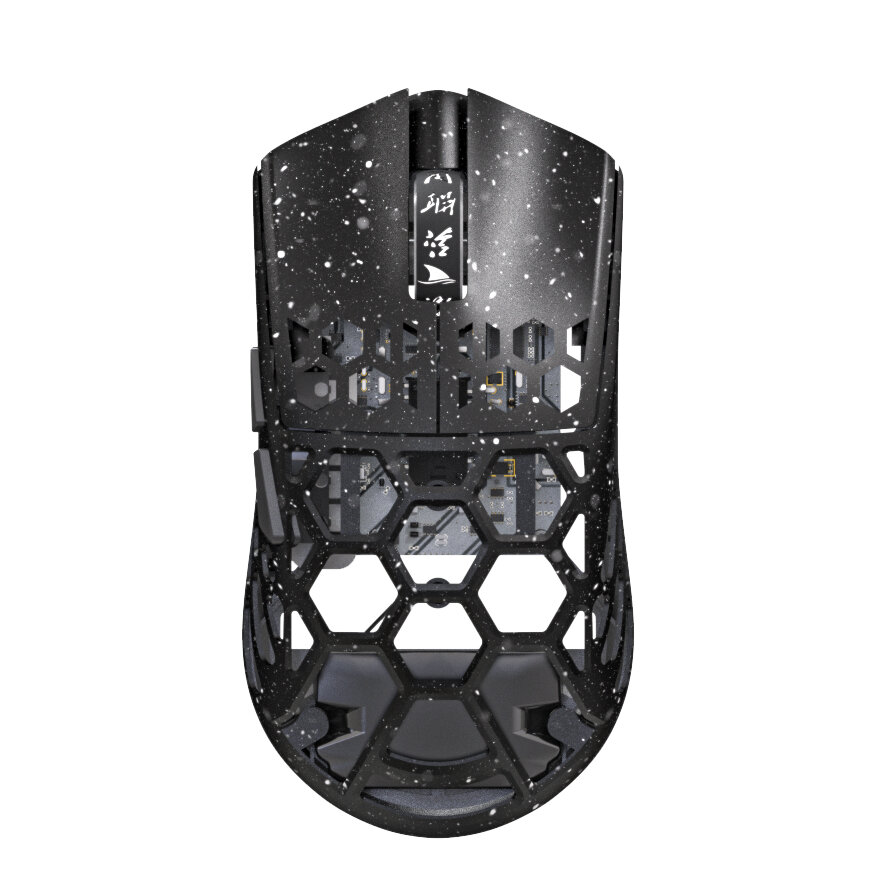
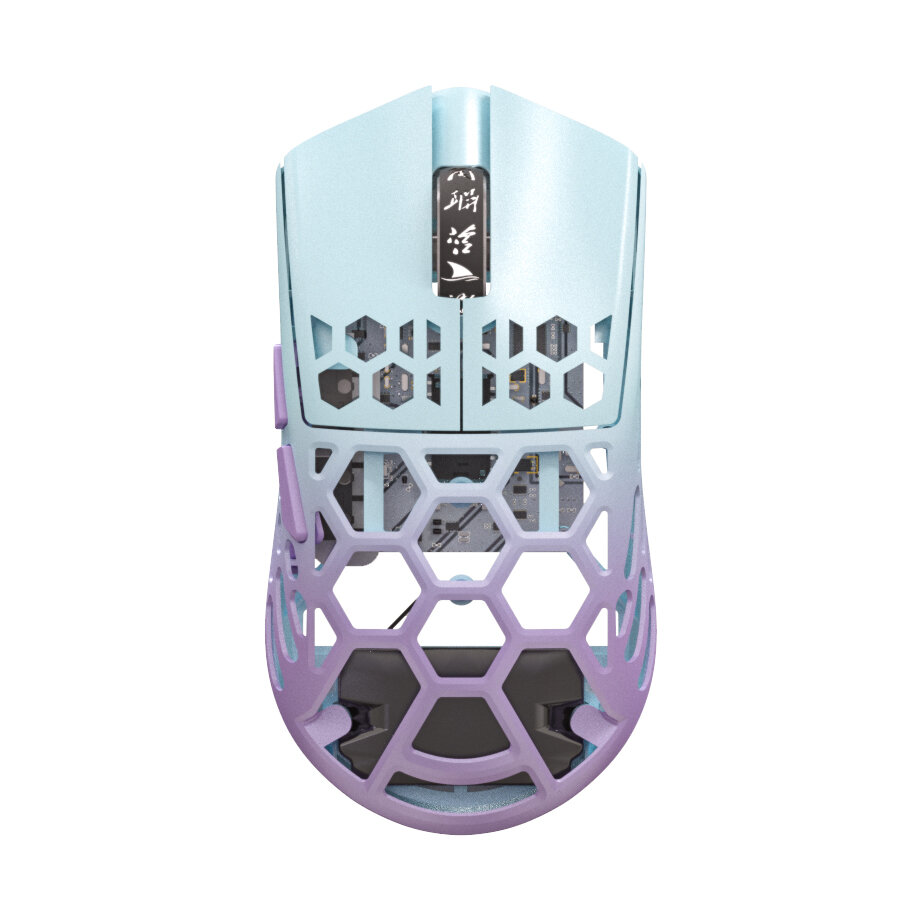
| Product Model | M2 |
| Shell Material | Mg Alloy+plastic side bond |
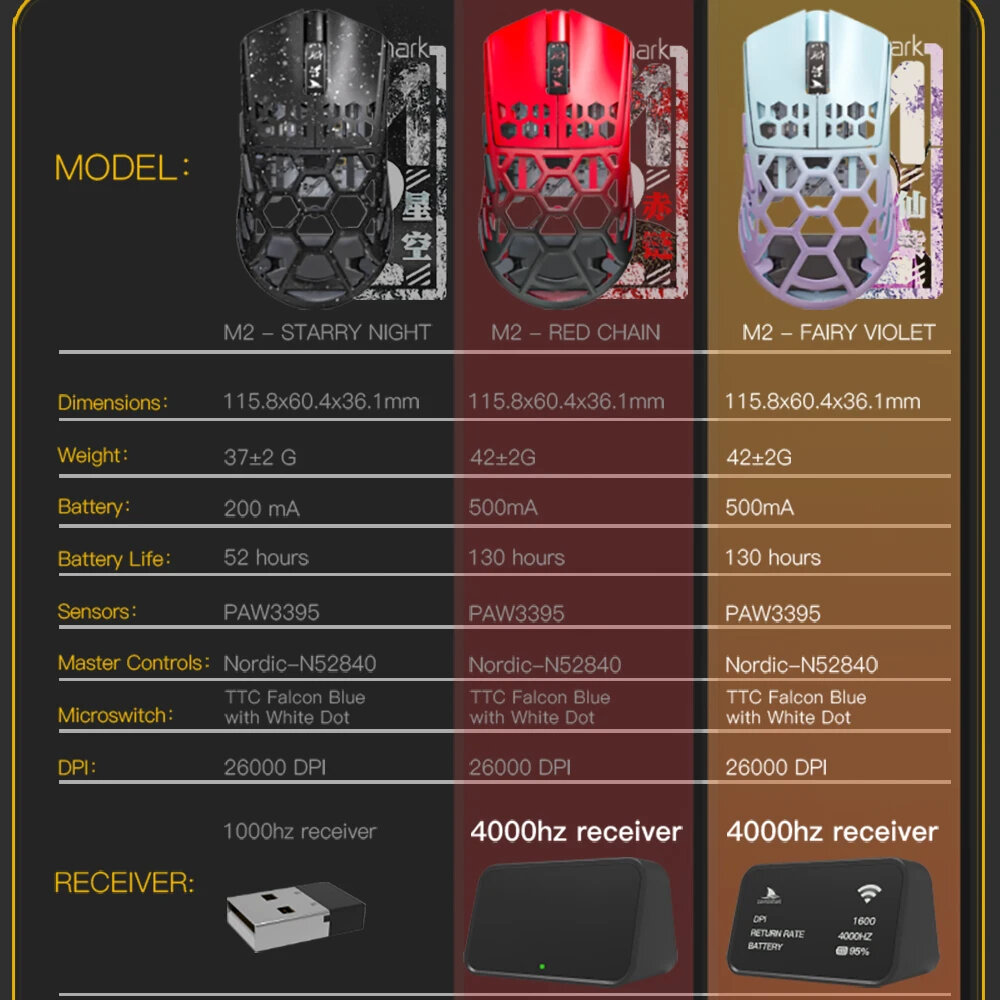
| Sensor | PAM3395 |
| Micro Switch | TTC |
| Encoder | TTC golden wheel |
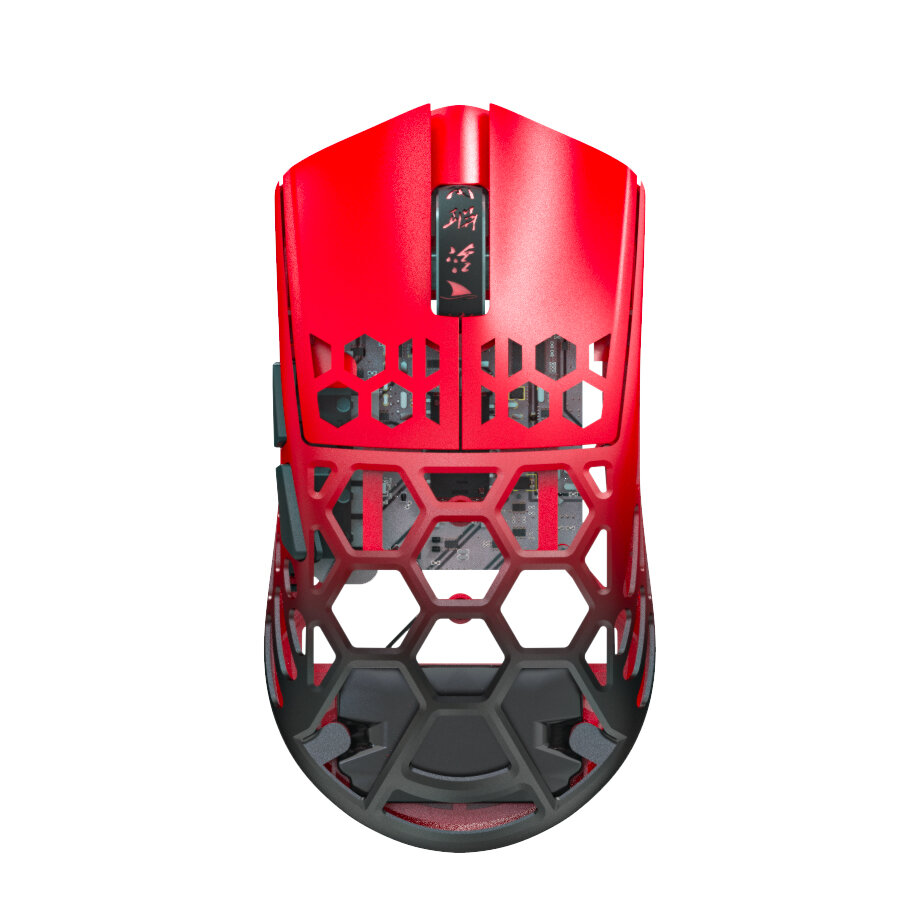
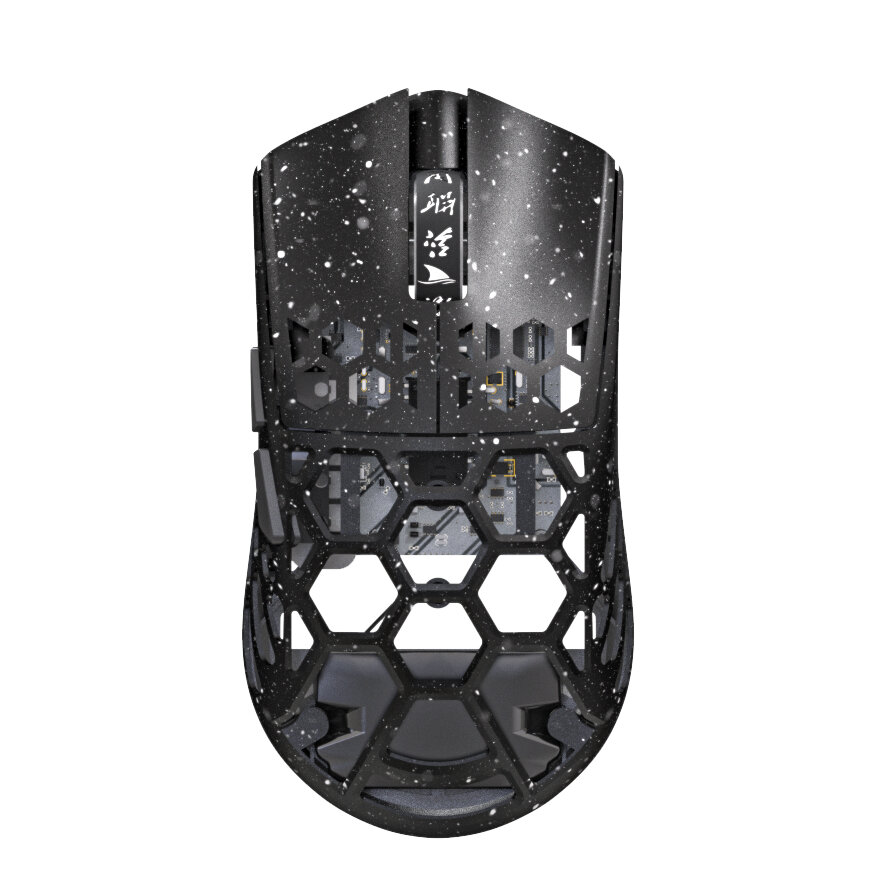
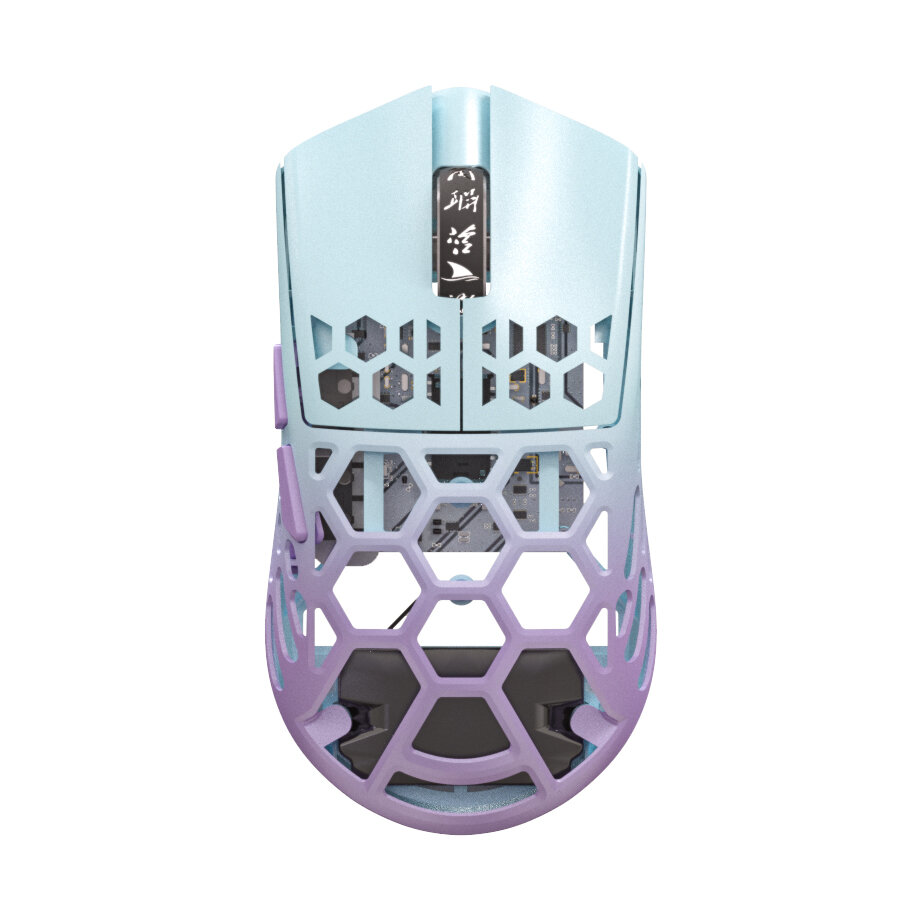
| Color | Starry Black+1K Receiver,Red+4K Receiver,Purple+4K Receiver |
| Connection Mode | Wireless/ bluetooth / Wired Connection |
| Lithium Battery | 500mAh/200mA |
| Maximum Speed | 650IPS |
| FPS Image Processing | 26000fps |
| Acceleration | 50G |
| SPI | 8ms/2ms(default)/1ms |
| Operating Voltage | USB Wired: DC5V±5% Wireless: DC3.7V |
| Interface | Gold-plated USB2.0 Type-C |
| Bottom Sensor Light | Infrared light |
| Wire Rod | Type-C data cable five-core braided flash rope with magnetic ring |
| DPI | 400 red, 800 blue (default), 1600 green, 3200 purple, 4800 yellow |
| DPI | 26000DPI( Driver settings) |
| Wired/2.4GHz | red light 125HZ, blue light 500HZ,green light 1000HZ |
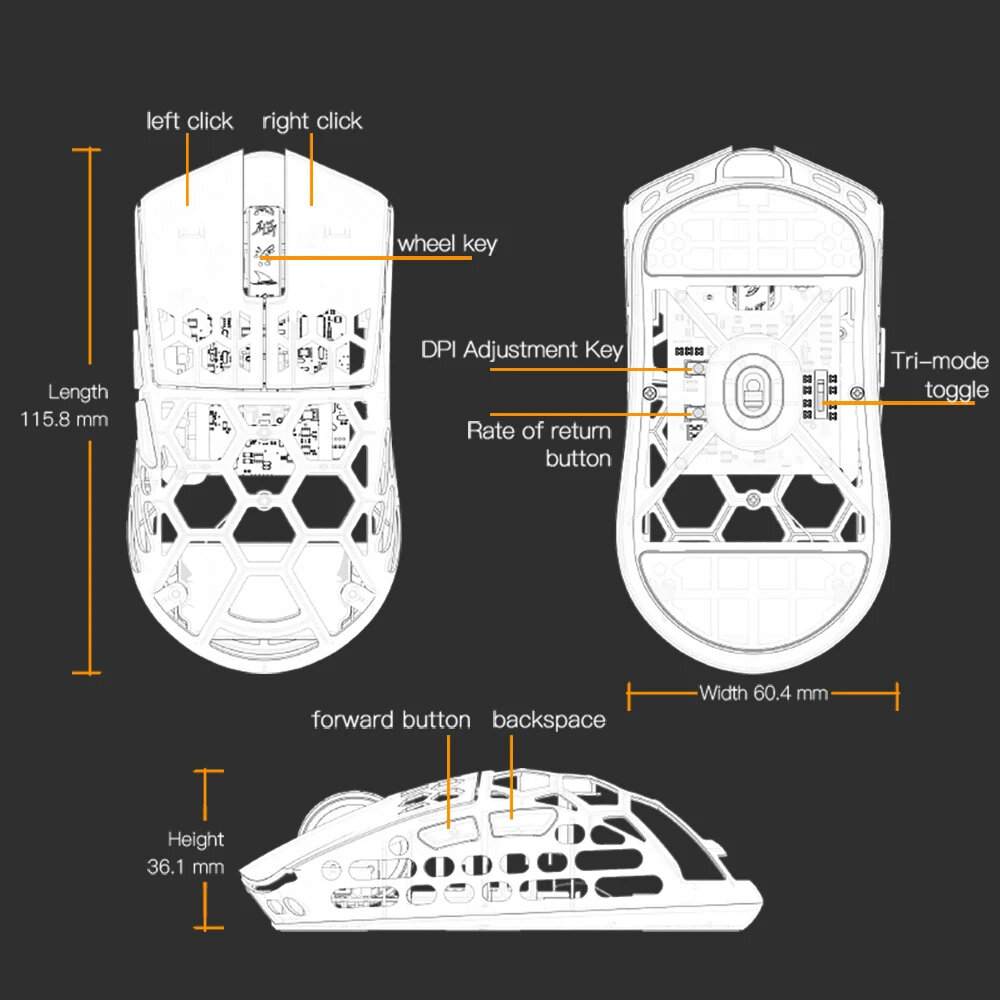
| Size | 115.8*60.4*36.1mm |
| Net Weight | 37±2G(1k)42±2G(4k) |
| Driver installation | only Windows system is supported |
| bluetooth | does not support drivers. |
Operating system : Wired and 2.4G modes: WinXP/Win7/Win8/Win10/Win11/MacosBluetooth mode: Win8/Win10/Win11/MacosDriver installation :http://www.darmoshark.cn/bluetooth pairing operation : When the bottom three section switch is turned to the B icon, press the left, middle and right buttons at the same time, and the blue light of the scroll wheel position flashes, entering the pairing state. At this time, you need to turn on the bluetooth device to search for the N3 Mouse before pairing. After the connection is successful, the indicator light goes out.2.4G pairing operation:When the bottom three section switch is turned to the G icon, press the left, middle and right buttons at the same time, and the green light of the scroll wheel position flashes to enter the pairing state. At this time, the receiver needs to be inserted. After the connection is successful, the indicator light goes out. (Note: The factory has been paired and it is OK. If the 2.4G has no function, this step can be followedWired mode:When inserting Type-c data cable connection, the wired mode is preferred.
Package Included:
1 x Darmoshark M2 Gaming Mouse
1 x Receiver
A part of the review has been auto-translated.
Tips:For questions about your order, place of delivery, product discount, taxation, delivery time, warranty, shipping, payment, exchange rate, and other questions unrelated to the product, please contact customer service.
A part of the QA has been auto-translated.
احصل على آخر أخبار العلامة التجارية وخصم 15% على طلبك الأول.



Hi ?
How can we help?