* Estimated delivery times start from the date of shipment, excluding processing time.
* Actual delivery times may vary due to holidays, weather conditions, or customs delays.
سيتم قبول العناصر المرتجعة في غضون 40 يومًا من تاريخ استلام البضائع. لا يمكن إرجاع أو استبدال العناصر المخصصة. العناصر المشتراة ببطاقة هدية إلكترونية قابلة للاستبدال فقط؛ لا تنطبق عمليات الاسترداد.
هدية مجانية
مرحبًا بكم في Roymall، موقعكم الاحترافي لشراء هدايا المتاجر الكبرى الفاخرة. نحن نقدر ونقدر دعمكم كثيرًا ونريد أن نعبر عن امتناننا بإضافة لمسة إضافية من الإثارة إلى مشترياتكم. عندما تتسوق معنا، لن تستمتع فقط بمنتجات عالية الجودة تعزز نمط حياتك، ولكنك ستتلقى أيضًا هدية مجانية حصرية مع كل طلب تقدمه. هل أنت مستعد لاستكشاف مجموعتنا والعثور على هداياك المثالية؟ تصفح اختيارنا من عناصر المتاجر الكبرى الفاخرة، قدم طلبك، وتطلع إلى وصول هديتك المجانية مع مشترياتك.
سياسة الشحن
سنعمل بجد لتسليم العناصر إليك بعد استلام طلباتك والتأكد من وصولها بأمان. سيتم توفير تفاصيل التسليم في بريد التأكيد الخاص بك.في معظم الحالات، يتم معالجة الطلبات في غضون يومين. في ظروف خاصة، قد يتم تأخيرها على النحو التالي: عند تقديم طلبك يوم السبت أو الأحد أو في أيام العطل الرسمية، سيتم تأخيره لمدة يومين.عادة، يستغرق الأمر من 5 إلى 7 أيام عمل (من الاثنين إلى الجمعة) دون تأثر بتأخر الرحلات الجوية أو العوامل البيئية الأخرى.نظرًا لأن خدمة الشحن لدينا عالمية، فإن أوقات التسليم تعتمد على موقعك، لذلك قد يستغرق الأمر بضعة أيام، ونرجو منك الصبر إذا كنت في مناطق أو دول نائية.
1. سياسة الإرجاع والاستبدال
نحن نقبل فقط العناصر المشتراة من roymall.com. إذا اشتريت من موزعينا المحليين أو تجار التجزئة الآخرين، فلا يمكنك إرجاعها إلينا.العناصر النهائية أو الهدايا المجانية غير قابلة للإرجاع.لكي تكون مؤهلاً للإرجاع، يجب أن يكون العنصر غير مستخدم وفي نفس الحالة التي استلمته بها. يجب أيضًا أن يكون في العبوة الأصلية.بعد استلام تعليمات الإرجاع منا، يرجى تغليف العناصر المرتجعة وإيداع الطرد في مكتب البريد المحلي أو خدمة توصيل أخرى. سنقوم بمعالجة إرجاعك أو استبدال العنصر في غضون 3-5 أيام عمل بعد استلامه. سيتم معالجة المبلغ المسترد وإضافته تلقائيًا إلى طريقة الدفع الأصلية الخاصة بك.لا يمكن قبول الإرجاع أو الاستبدال إذا تم إنتاج المنتج حسب الطلب، بما في ذلك الحجم المخصص أو اللون المخصص أو الطباعة المخصصة.إذا كنت بحاجة إلى مزيد من المساعدة، يرجى الاتصال بنا. service@roymall.com أو Whatsapp: +447549870296
2. سياسة الاسترداد
ستحصل على استرداد كامل أو رصيد متجر بنسبة 100% بعد استلامنا للطرد المرتجع والتحقق منه. سيتم معالجة المبلغ المسترد وإضافته تلقائيًا إلى طريقة الدفع الأصلية الخاصة بك.يرجى ملاحظة أن تكاليف الشحن وأي رسوم أو ضرائب غير قابلة للاسترداد. تكاليف الشحن الإضافية غير قابلة للاسترداد بمجرد شحن الطرد. أنت مسؤول عن دفع هذه الرسوم، ولا يمكننا إعفاؤها أو استردادها، حتى إذا تم إرجاع الطلب إلينا.بمجرد استلامنا وتأكيد العنصر المرتجع، سنرسل لك بريدًا إلكترونيًا لإعلامك بأننا قد تلقينا العنصر المرتجع. سنخطرك أيضًا بموافقة أو رفض طلب الاسترداد الخاص بك.إذا كانت لديك أي مشاكل تتعلق بعملية الاسترداد، يرجى الاتصال بنا. service@roymall.com أو Whatsapp: +447549870296
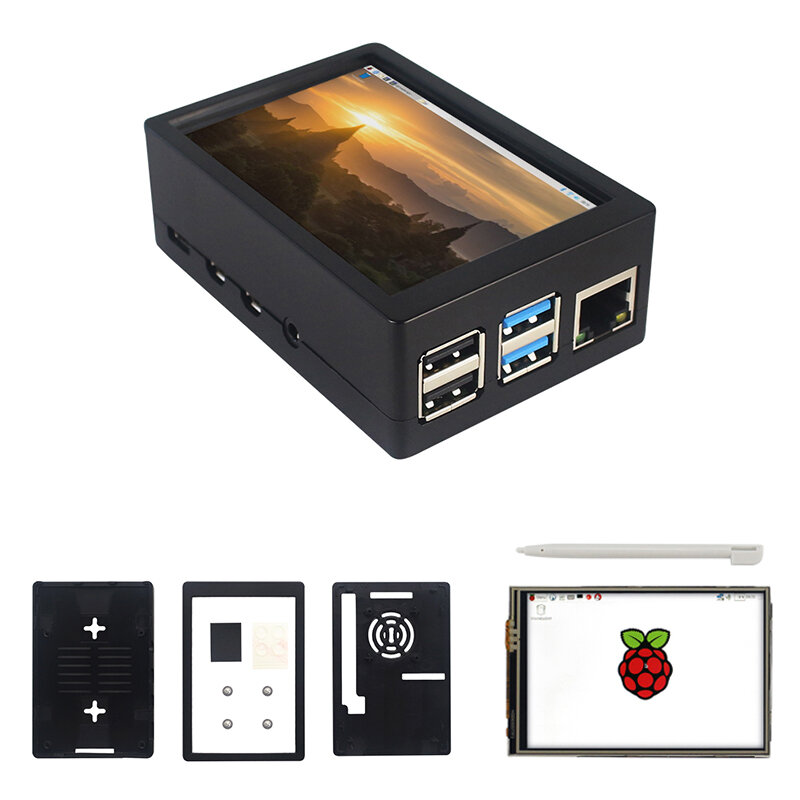
Note: Raspberrry Pi is not included. Introduction:
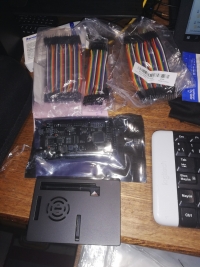
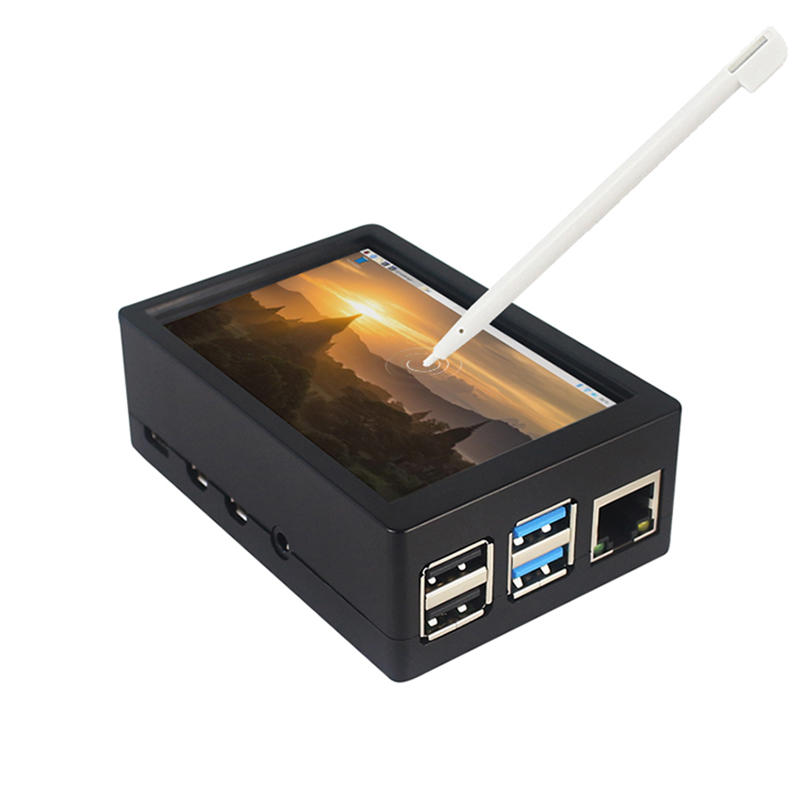
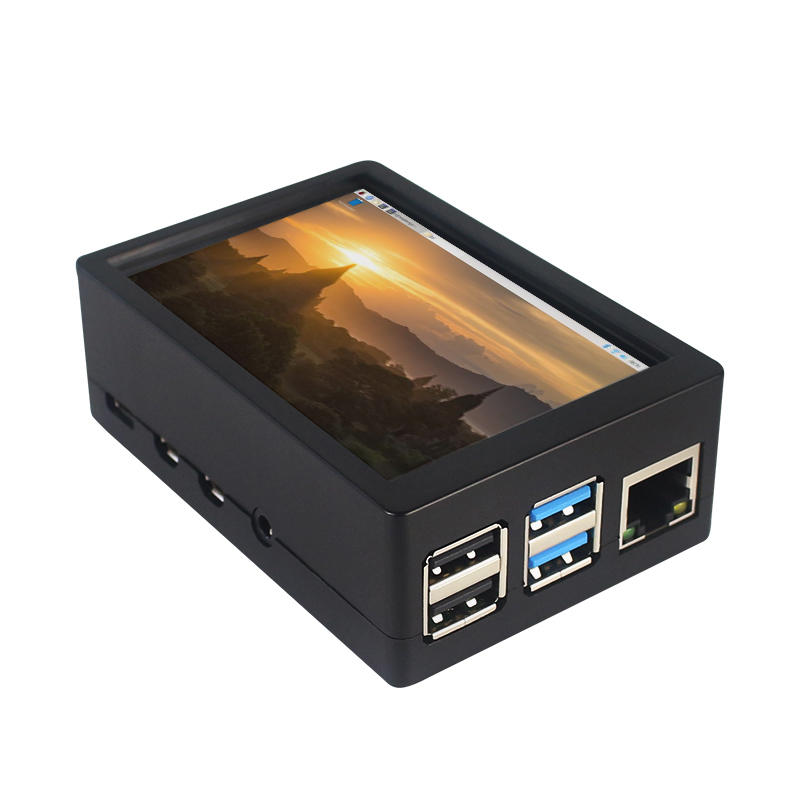
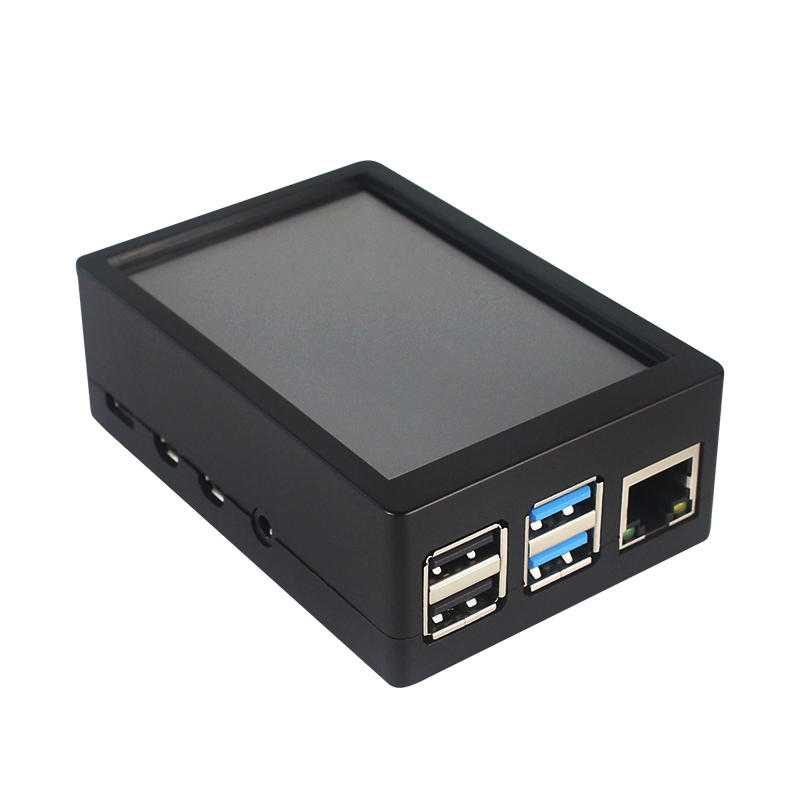
This is the dual use ABS case for 3.5 inch screen kit, suitable for Raspberry Pi 4 Model B.It is esay to install the case with screen and Raspberry Pi.When you use the Raspberry Pi with 3.5inch screen,please remove the cover of case;When you use Raspberry Pi with cooling fan,you needn"t remover the cover of case.
Note:The 3.5inch screen and cooling fan can"t be used at the same time. If Raspberry Pi is equipped with GPIO display drivers,the HDMI port will have no signal output
Specifications:
Colour: Black
Material: ABS plastic
Size: 90*61*35
Applicable to: Raspberry Pi 4B
3.5-inch touch screen or fan that can install Raspberry Pi
Knowing that: 3.5-inch display and fan cannot be installed at the same time due to the PIN pin
3.5inch Touch Screen Features:
1. Physical resolution 320 x 480, with resistive touch control
2. With the refresh rate of raspberry pi around 50Hz, play video to play the game without pressure.
3. With the refresh rate of raspberry pie around 50Hz, play video to play the game without pressure
4. Support FBCP software drive, support double screen display, can adjust the resolution of the software to zoom
5. Raspberry Pi ZeroW, A, A+, B, B+, 2B, 3B, 3B+ , 4B)
6. Support Raspbian/Ubuntu/Kali system, provide driver and image
7. WIKI for reference: raspberrypiwiki.com/index.php/3.5_inch_LCD_B
Note:
Please plug the screen on Raspberry Pi"s GPIO pins correctly( as the picture) , otherwise the touch function will be damaged.
If Raspberry Pi is equipped with GPIO display drivers such as MPI2411, MPI2418, MPI2801, MPI3201, MPI3501, etc., the HDMI port will have no signal output
If you need to switch back to the HDMI display mode, execute:
This LCD can be calibrated using a program called xinput_calibrator
Install it with the commands:
cd LCD-show/sudo dpkg -i -B xinput-calibrator_0.7.5-1_armhf.deb
Click the Men button on the task bar, choose Preference -> Calibrate Touchscreen.
Finish the touch calibration following the prompts. Maybe rebooting is required to make calibration active.
You can create a 99-calibration.conf file to save the touch parameters (not necessary if file exists).
/ect/X11/xorg.conf.d/99-calibration.conf
Save the touch parameters
About Dual Use ABS Case:
1. The Case made of ABS material,support to install 3.5 inch touch screen,and need to remove the cover of case. When you don"t use the 3.5 inch touchscreen , it is a general case with cooling fan.The 3.5inch screen and cooling fan can"t be used at the same time.
2. The case is design for Raspberry Pi 4 Model B , remain almost all interface such as USB , Ethernet , A/V , micro HDMI , SD card slot , display , camera( CSI). (Note: A1 case remain GPIO and POE hole , but A2 case does not remian)
3. Make 2 hole on the bottom so that you can hange the case on the wall or something else . This design is very convenient when using the 3.5 inch touchscreen.
Package Included: 1 x ABS box case 1 x touch screen 1 x touch screen pen
Tips:For questions about your order, place of delivery, product discount, taxation, delivery time, warranty, shipping, payment, exchange rate, and other questions unrelated to the product, please contact customer service.
showing 1-8 of 8|
Show Original
A part of the QA has been auto-translated.
0
Q:
Does this just work after assembling or do you have to use your own chip or soemthing?
Does this just work after assembling or do you have to use your own chip or soemthing?
The last command to type in is ' sudo .LCD35-show ' (with a slash between the dot and the LCD, but BG doesn't let me write it) instead of the one provided
The last command to type in is ' sudo .LCD35-show ' (with a slash between the dot and the LCD, but BG doesn't let me write it) instead of the one provided
Answered by Gwenaël on 17/06/2020Helpful (0)
0
Q:
How to install driver on Raspberry Pi 4b for this display?
How to install driver on Raspberry Pi 4b for this display?
This does not work if you follow the product description... There is a comment where somebody said a waveshare link, the display started to work me, but the quality is wrong, there is less color, you cannot see whats on the screen, and I cannot calibrate the touchscreen to work. (I have an other LCD similar to this, but that was working better.
Its far from 50fps with the waveshare driver. Do anybody knows a better driver? Or it is bad quality?
This does not work if you follow the product description... There is a comment where somebody said a waveshare link, the display started to work me, but the quality is wrong, there is less color, you cannot see whats on the screen, and I cannot calibrate the touchscreen to work. (I have an other LCD similar to this, but that was working better.
Its far from 50fps with the waveshare driver. Do anybody knows a better driver? Or it is bad quality?
Answered by hygyke on 16/09/2020Helpful (0)
Ask a Question
1.You can contact the customer service. for any question regarding the product.
2.Ask the question in English to get answer faster.





 Direct purchase from the factory

![[US DIRECT] ATOMSTACK A5 M50 APP Control Dual-Laser Laser Engraving Cutting Machine Laser Engraver Cutter 5.5W Output Power Fixed-Focus 304 Mirror Stainless Steel Engraving DIY Laser Marking for Metal Wood Leather Vinyl](https://static.roymall.com/d/file/mall/titlepic/235/67803406-41f3-499a-afb7-154990584ff8.jpg?x-oss-process=image/resize,w_237/quality,Q_80/format,webp)


![[EU/US Direct]Raiser for LONGER RAY5 Engraver](https://static.roymall.com/d/file/mall/bigpic/235/65e9b76d-574a-4b4b-9c6c-02db18b89460.jpg?x-oss-process=image/resize,w_237/quality,Q_80/format,webp)
![[US/UK Direct] Refurbished ULTIMEA Nova S70 3.1.2 Soundbar 390W True Dolby Atmos Soundbar BassMax 4K Dolby Vision HDR Passthrough 3EQ Modes Wired Speaker Subwoofer](https://static.roymall.com/d/file/mall/titlepic/235/e1440062-c78c-4565-8aa7-f8857d749771.jpg?x-oss-process=image/resize,w_237/quality,Q_80/format,webp)


 Multi Rotor Parts
 هدية مجانية
 سياسة الشحن
 سياسة الإرجاع